
Link · transcript · moments
FREE AI CLIP MAKER · OPEN SOURCE SPIRIT
Long video in. Viral shorts out.
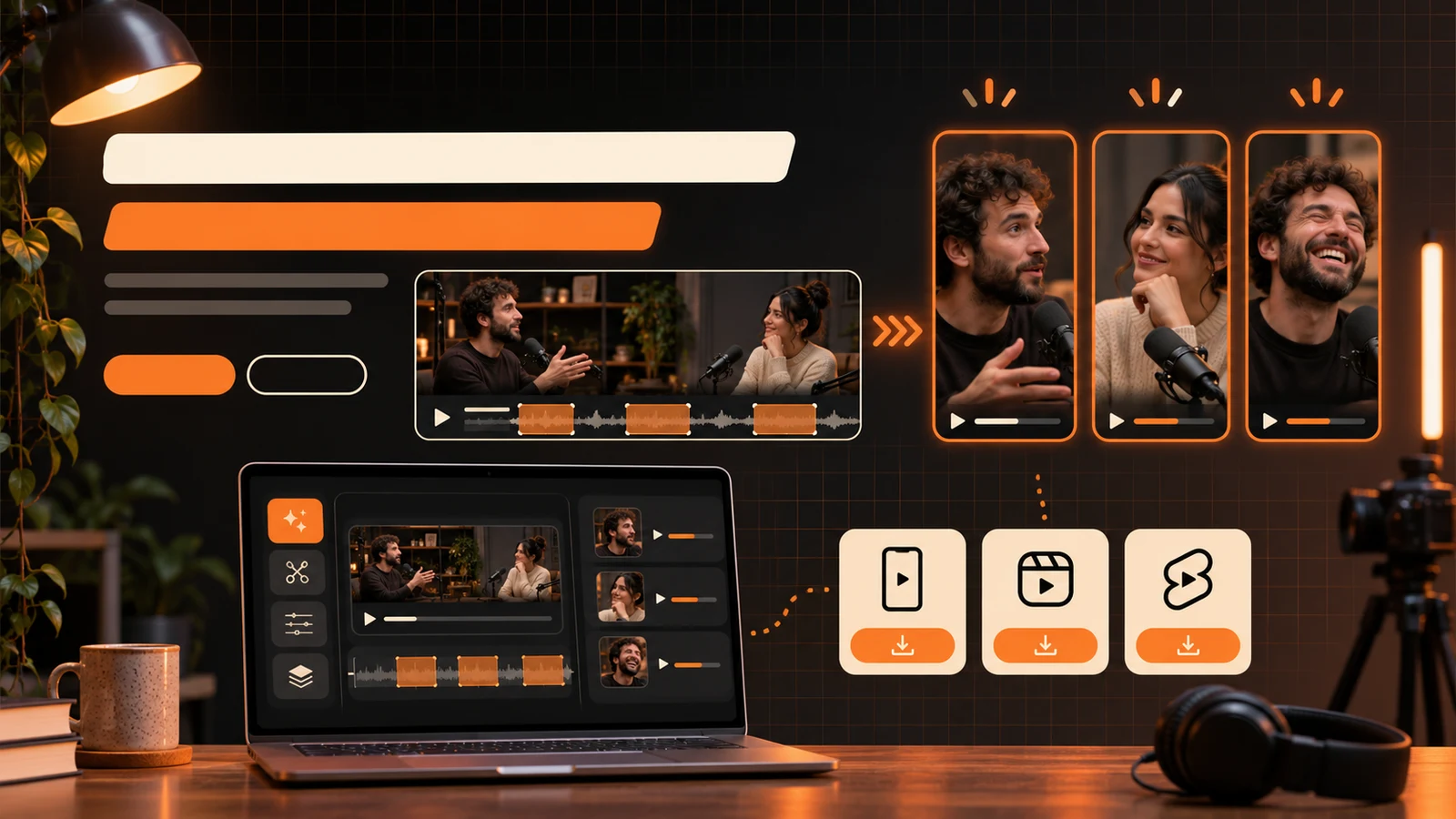
Paste a YouTube link or upload a podcast, stream or interview. AI finds the moments worth posting, reframes them to 9:16 and adds word-level captions.
Paid access only. Video generation is simulated in this launch build.
8 clips found
9:16Auto reframe
3-15Clips per video
AutoHook selection
WordLevel captions
LIVE CREATIVE SYSTEM
A clipping workflow built for the way people actually publish.
Find the moment, keep the speaker framed and export a caption-ready vertical clip without rebuilding the edit.
YouTubeTikTokReelsTwitchKickPodcastsInterviewsWebinars
Speakers · hooks · captions
Podcast highlight engine
VODs · gaming · talk shows
Stream to social
A SHORTER WORKFLOW
Paste, select, caption, publish.
The repetitive first edit is handled automatically; the creator keeps the final decision.
Add a long video
Paste a supported link or upload an interview, podcast or stream recording.
Review the strongest moments
Choose from AI-selected clips with clear hooks, context and platform fit.
Reframe and export
Keep the active speaker visible, style captions and prepare vertical outputs.
BUILT FOR MOMENTUM
Open-source energy, polished into a practical creator tool.
Everything needed to turn one long recording into a repeatable short-form content system.
AI clip discovery
Find self-contained moments with a strong opening and useful payoff.
Speaker tracking
Keep the active speaker centered in vertical and square formats.
Word-level captions
Create readable, platform-safe captions from the source audio.
Multi-platform output
Prepare clips for Shorts, TikTok, Reels and other social channels.
START SOMEWHERE
One recording can become a week of posts.
YouTube long formPodcast episodesTwitch VODsKick streamsFounder interviewsSermonsCourse lessonsWebinar replaysGameplay highlights
PAID ACCESS, NO FREE TIER
Choose the pace that fits your work.
Every plan includes the full creative workspace and the simulated priority queue.
Creator
For a creator publishing short clips every week.
$15.20/mo
$182.40 billed annually- AI moment detection
- Vertical auto-reframe
- Caption generation
- Google account sign-in
- Cancel anytime
Pro
For creators and editors running a daily content pipeline.
$39.20/mo
$470.40 billed annually- Everything in Creator
- Longer source recordings
- Brand caption presets
- Multi-platform exports
- Priority clipping queue
Studio
For media teams producing clips at scale.
$79.20/mo
$950.40 billed annually- Everything in Pro
- Shared team workspace
- Higher processing limits
- Publishing workflow views
- Priority support
Every plan includes AI clip discovery, vertical reframing, captions and the simulated clipping queue. Prices are in USD. Checkout opens directly on Stripe and renews until cancelled.
QUESTIONS, ANSWERED
AI clipping questions.
What happens after I press Get free clips?
Signed-out visitors are asked to use Google. A signed-in account without a plan continues to pricing. Active members enter the simulated clipping queue.
Which platforms can I use as source?
The interface is designed for YouTube, TikTok, Twitch, Kick, podcast feeds and uploaded video files.
Does OpenShorts remove the watermark?
The paid plans are presented as the watermark-free creator workflow. Watermark and export behavior remain simulated in this launch build.
How is billing handled?
Plans open directly on Stripe-hosted Checkout. Card details are entered on Stripe and recurring plans renew until cancelled.